Account Management
AiShort works without an account — but logging in lets you collect your favorite prompts, create your own, share them to the community, and sync across devices. This page covers login, registration, passwords, and cache.
Login Methods
Password Login
Log in with your username or registered email plus your password.
Forgot your password? On the login page, click "Forgot Password", enter your registered email, and you'll receive a reset link.
Google Login
Click the Google icon on the login page for one-click sign-in. The first time you do this, we create an account for you automatically — no separate registration step.
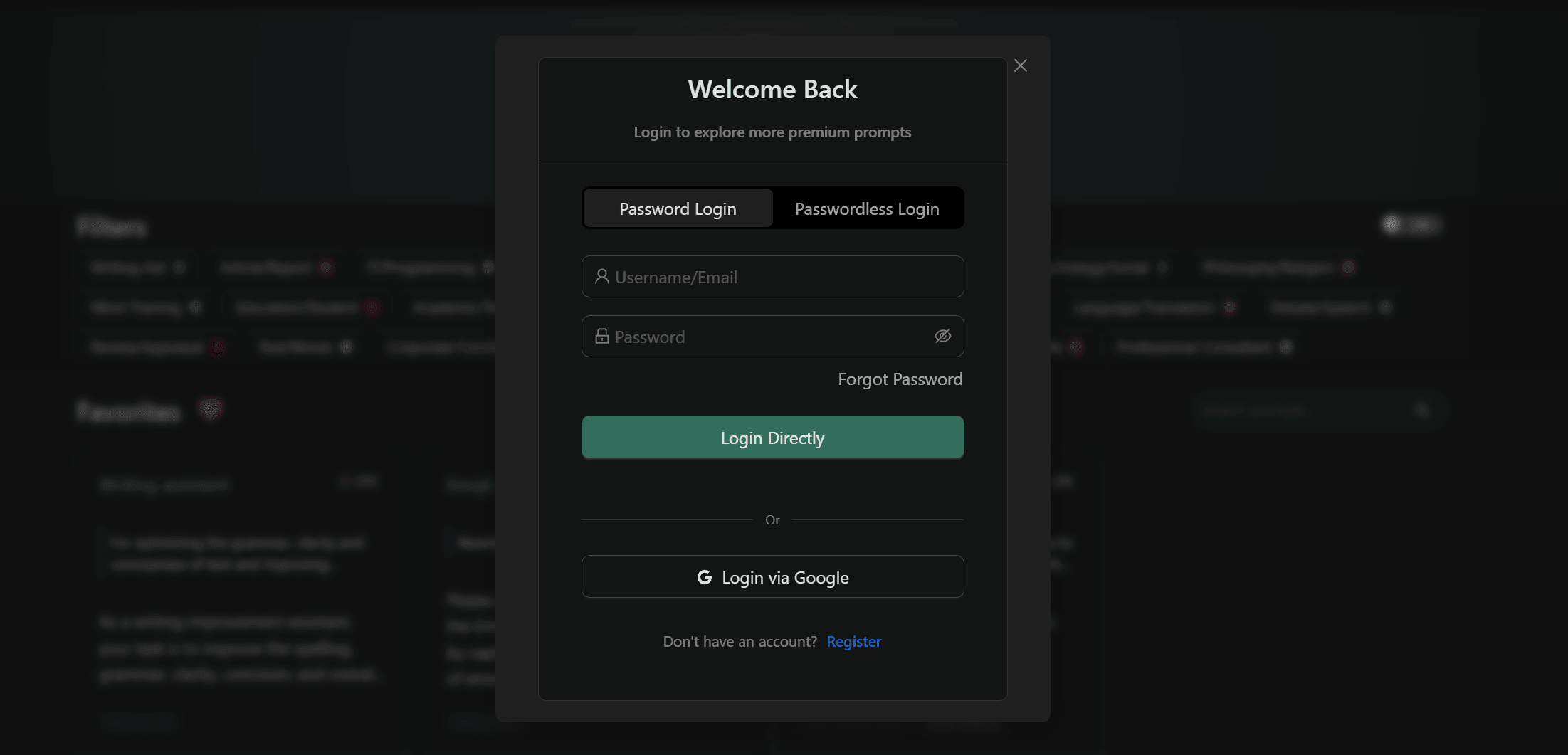
Passwordless Login
- Enter your registered email on the login page
- Click "Send Login Link"
- Open the link in your inbox to log in
Nothing to remember — handy if you only sign in now and then.
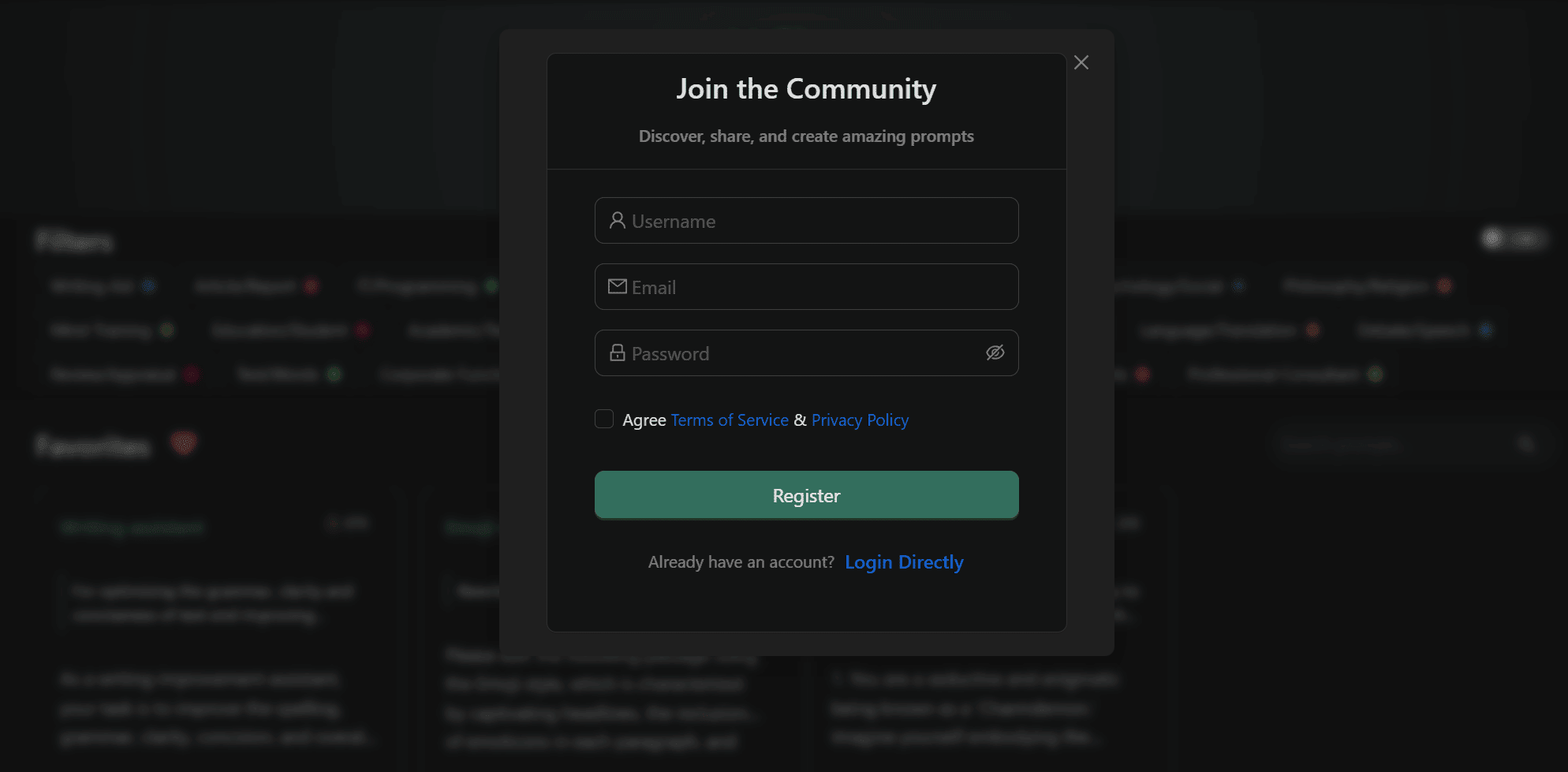
Register Account
- Click "Register" on the login page
- Fill in username, email, and password
- You'll be logged in automatically after submitting
Change Password
After logging in, change your password from "My Account":
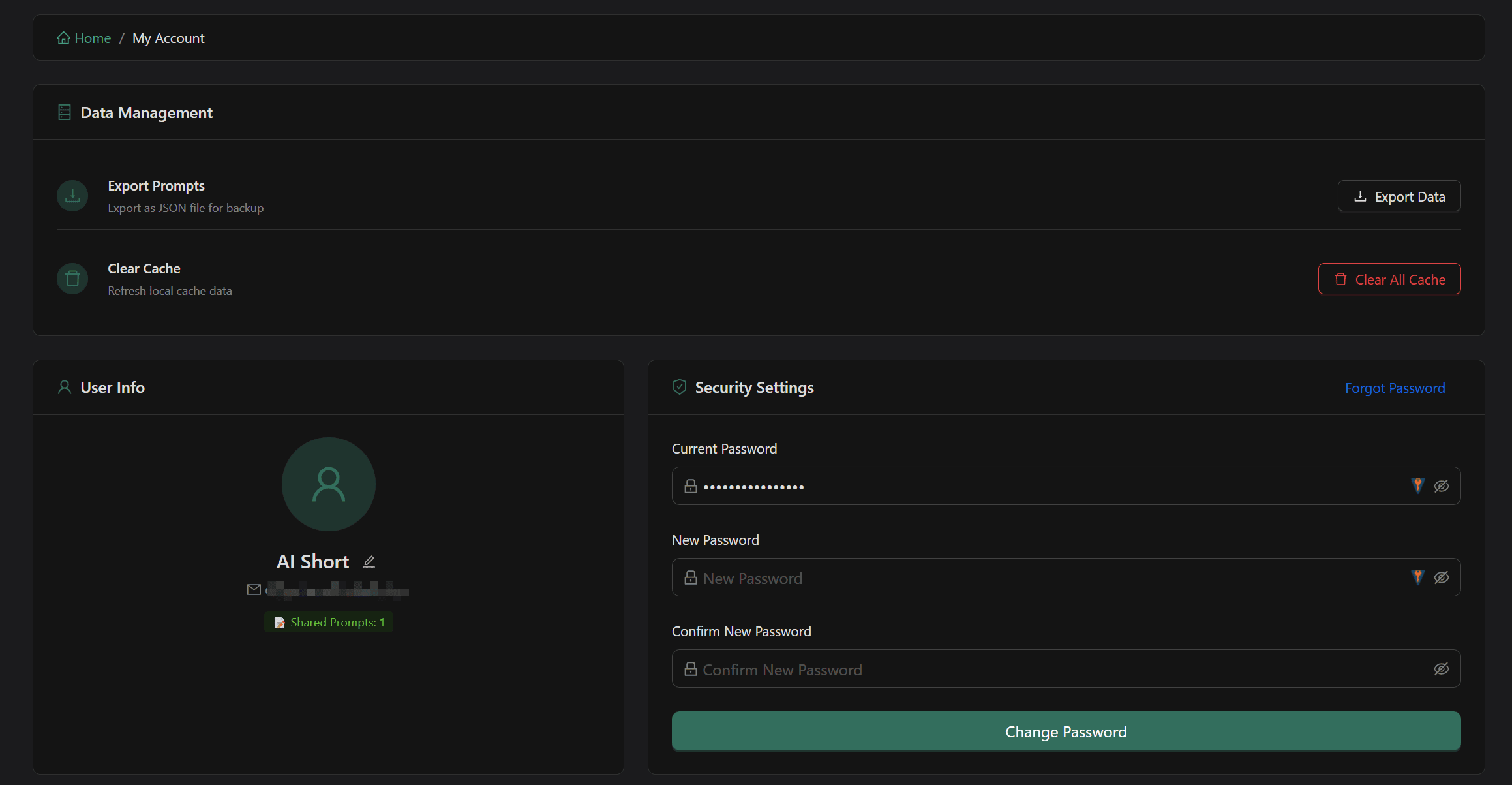
- Enter your current password
- Enter your new password and confirm
- Click "Change Password" to submit
Clear Cache
If your data isn't syncing or the display looks off:
- Go to "My Account" and find the "Data Management → Clear Cache" section
- Click the "Clear Cache" button — after confirmation, all data will be reloaded automatically
Your collections and custom prompts won't be lost — this just forces a re-sync.
Related Documentation
- Getting Started - Basic usage
- My Collection - Collection management
- Custom Prompts - Create and manage