Getting Started
Good prompts determine the quality of AI output. AiShort offers a large library of curated prompts — just copy and paste.
📋 Before you start: You need a browser and access to any AI tool — a chat page (ChatGPT, Gemini, Claude, Doubao, etc.), a coding tool like Cursor, or your own API calls. The AiShort web app itself requires no registration.
Basic Usage
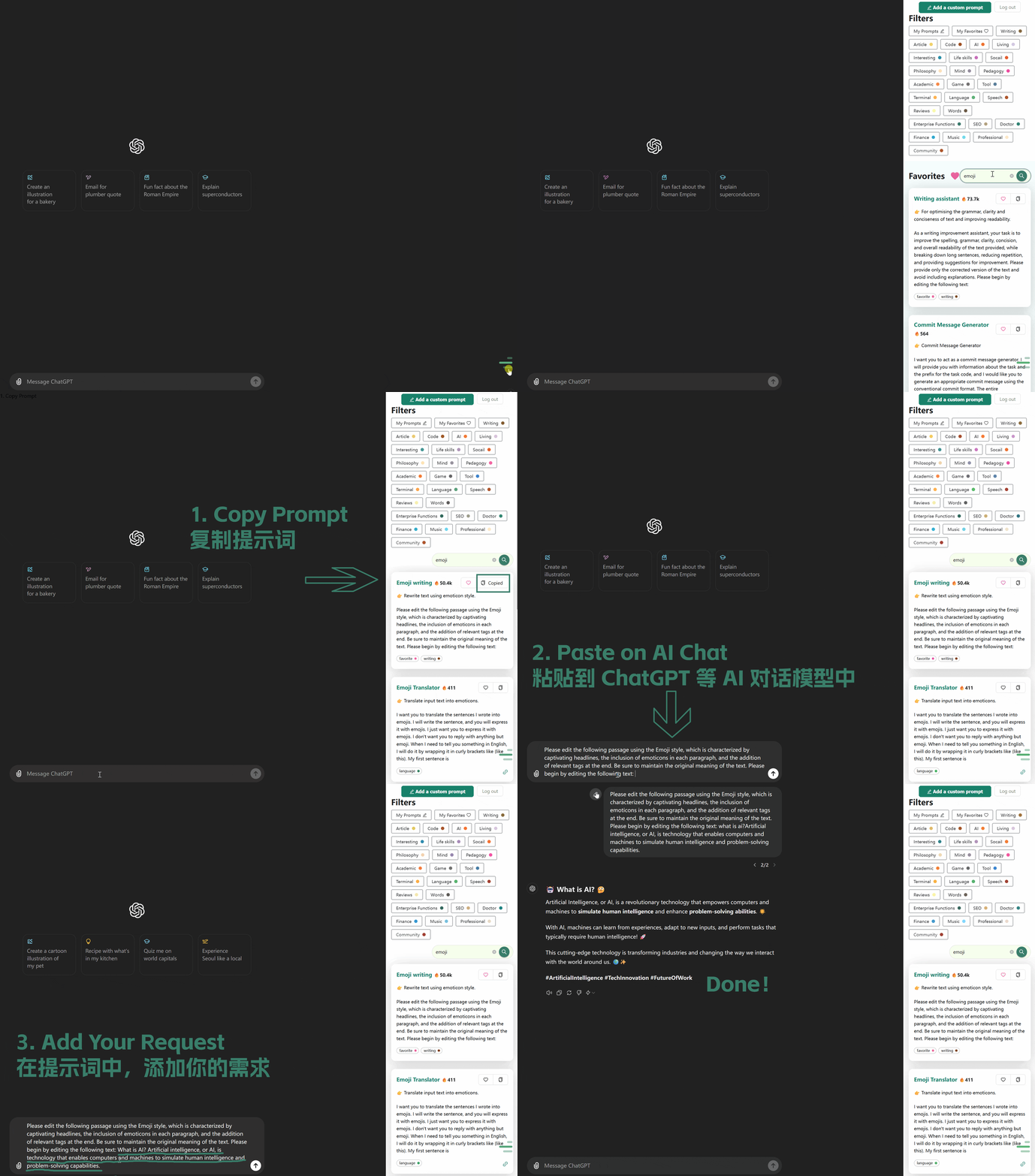
- Search or browse for a prompt you like on the homepage
- Find a suitable prompt and click "Copy" (or open the card first to read the full content)
- Paste it into any AI tool — a chat page, a coding tool like Cursor, or your own API calls
- Fill in the placeholders in the prompt (such as
[content],[topic]) with your specific request, then send it to the AI
💡 Tip: Most prompts use square brackets
[...]to mark text you should replace — swap the placeholder inside the brackets for your own content.
Quick Access
| I want to... | Where to go |
|---|---|
| Copy & use prompts | Search or browse on the Home page |
| Call prompts from AI pages | Browser Extension |
| Collect & manage prompts | My Collection |
| Create my own prompts | Custom Prompts |
| Register or log in | Account Management |
| Discover community shares | Community Prompts |
| Offline / intranet deploy | Offline Edition |
Common AI Models
International Models
Mainland China Models
API Platforms
Related Documentation
- Interface Guide - Search and filter functions
- My Collection - Collection, tags, and sorting
- Account Management - Login and registration